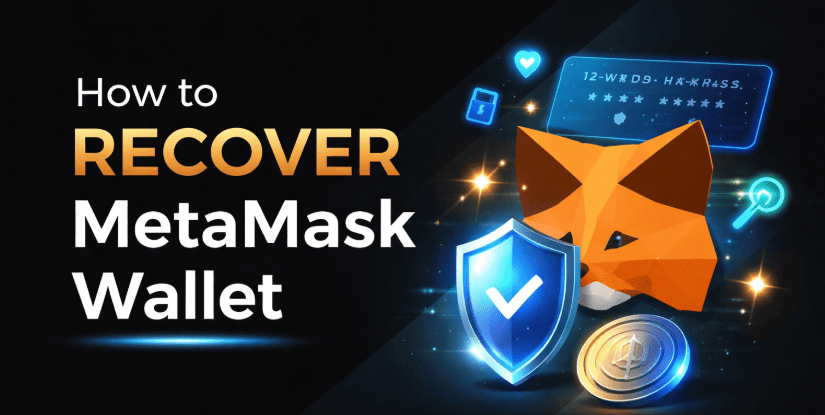
Losing access to your crypto wallet can make users stressed— especially when your funds are stored inside it. If you changed your phone, reinstalled your browser, or forgot your password, you may be wondering whether your wallet is gone forever. The good news is that recovery is possible in most cases — but only if you have the correct backup information.
Let’s understand how the recovery process works and what options are actually available.
What does it mean to Recover a MetaMask Wallet:
MetaMask is a self-custody cryptocurrency wallet. This means you control your private keys, and no company stores your password or recovery phrase on your behalf.
When you first created your wallet, you were given a 12-word Secret Recovery Phrase (seed phrase). This recovery phrase can help you to access the wallet. If you lose access to your device or forget your password, this phrase is the only official way to restore your wallet.
There is no central server, no “forgot seed phrase” button, and no support team that can reset it for you.
How can I recover my MetaMask password: Methods –
- Recover MetaMask password Online
- MetaMask Recover on Mobile
i. Recover MetaMask password Online:-
- Download and install the official MetaMask browser extension.
- Click “Import an existing wallet.”
- Next, type the 12-word Secret Recovery Phrase (seed phrase) in the correct form.
- Create a new password.
- Confirm and complete the setup.
Once the phrase is verified, your wallet will be restored. Your account addresses and balances will automatically sync from the blockchain.
ii. MetaMask Recover on Mobile:-
- Install the official MetaMask app from the Google Play Store or Apple App Store.
- Launch the application and choose “Import with Secret Recovery Phrase” to restore your wallet access.
- Carefully type your 12 or 24 words in the exact order.
- Set a new password.
- Tap Restore to finish.
After restoration, your tokens will reappear once the network syncs. If some custom tokens are missing, you may need to manually add them again.
How to recover my MetaMask wallet without a recovery phrase:
In most cases, no. The Secret Recovery Phrase is essential. However, there are limited situations where access may still be possible.
If you are still logged in on a phone or browser:-
- Go to settings.
- Enter your password.
- Locate the Secret Recovery Phrase section.
- Write it down securely offline.
- Now, you need to restore the wallet on your new device.
This is your best chance if you forgot to back it up earlier.
If you Forgot Password but Have Seed Phrase:-
- View and save the Secret Recovery Phrase.
- Reinstall MetaMask.
- Restore using the phrase.
- Create a new password during setup.
Recovery is not possible, in case:-
- The Secret Recovery Phrase is lost.
- You are logged out from all devices.
- You never backed up your seed phrase.
- You did not export private keys.
Recovery cannot be completed because MetaMask is decentralized, there is no “forgot seed phrase” option. Remember, no customer support or third party can retrieve, reset, or access your wallet without this phrase.
Wrapping Up:
Recovering your MetaMask wallet is straightforward if you have your Secret Recovery Phrase. Without it, recovery depends entirely on whether the wallet is still accessible on another device. Keep your recovery phrase stored safely and privately, as it serves as the master key to your digital funds. Make sure that you never share your Secret Recovery Phrase with anyone. Also, avoid entering your seed phrase on unknown websites and download MetaMask from official sources.
Frequently Asked Questions:
No, without the Secret Recovery Phrase or private keys, recovery is not possible.
Recovery without a seed phrase is only possible if:-
> The wallet is still active on another device
> You previously exported private keys
> You have a secure backup saved offline.